
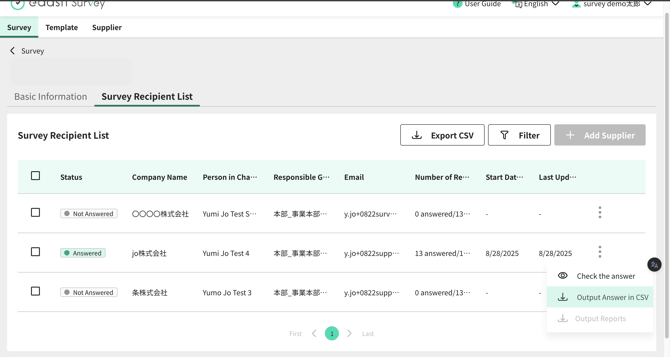
You can download individual supplier responses from the Survey Details screen. Please note that only responses that suppliers have officially submitted can be downloaded; responses that have not been submitted (i.e., where the "Submit" button has not been pressed) are not available for download.
- From the three-dot menu within the "Recipient List" tab on the Supplier Details screen, you can export responses to CSV or review them directly on screen.
- Additionally, by using the checkboxes in the list, you can export responses from multiple suppliers simultaneously.
Translation Disclaimer
This article has been translated using automated translation software for your convenience. While e-dash makes reasonable efforts to ensure the accuracy of the translation, we do not guarantee its precision.
Should any questions arise regarding the accuracy of the content in the translated article, please refer to the official Japanese version for verification.